
SVSS Connect: one app for your staff and your customers
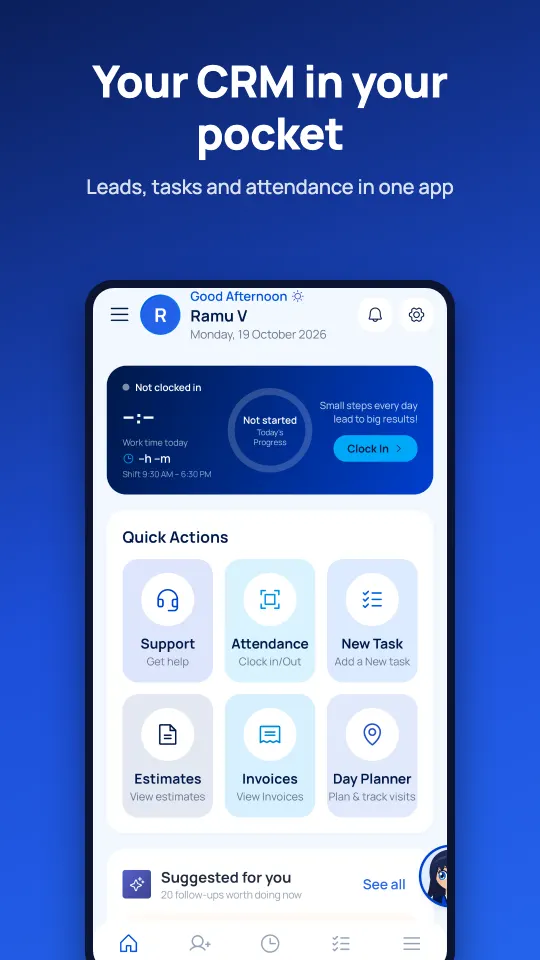
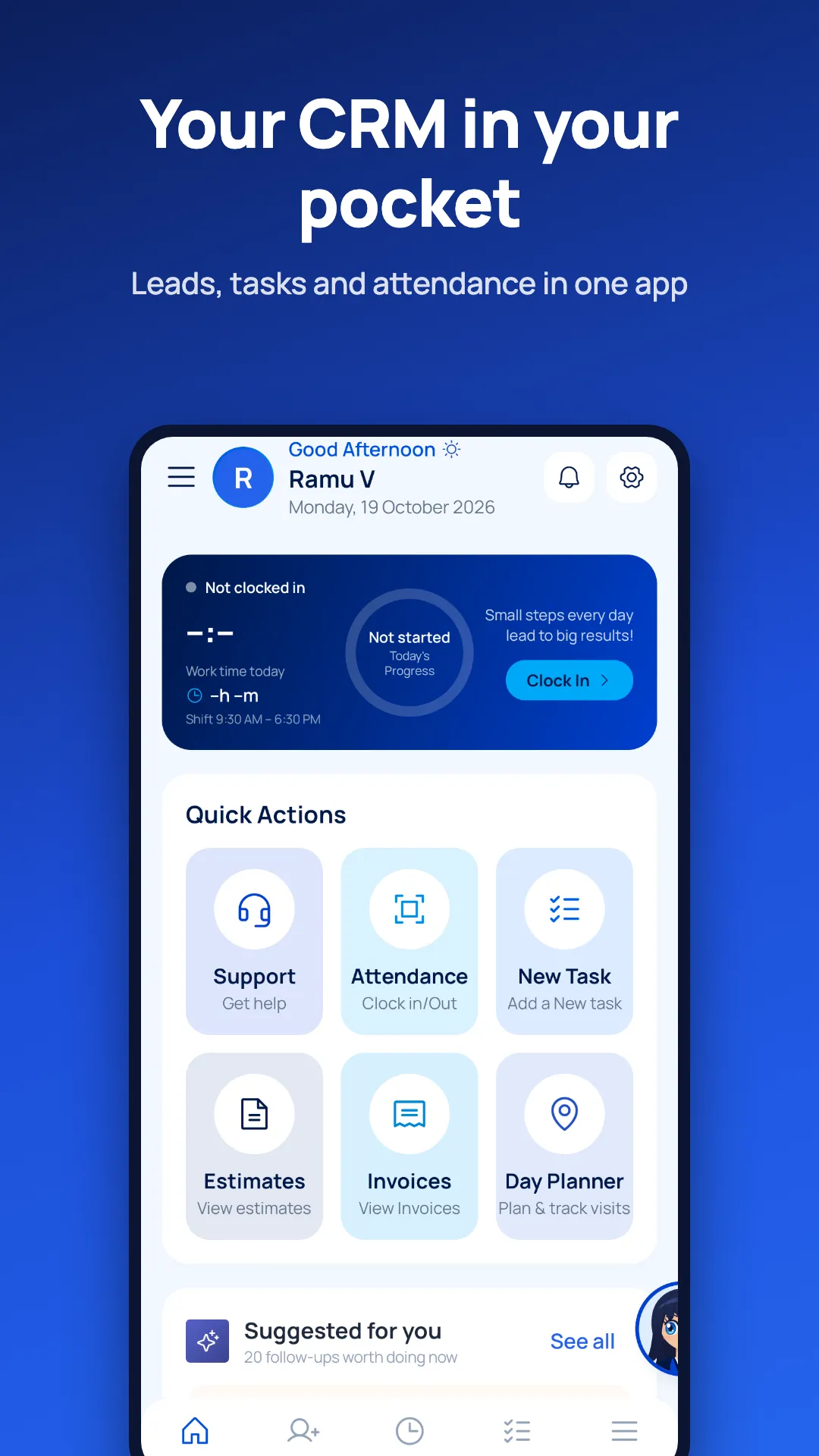
SVSS Connect is a free Android and iOS app from SV Soft Solutions. Staff use it as a mobile CRM, face-attendance clock, day planner and HR self-service app. Customers use it to view and pay invoices, track projects and renewals, and raise support tickets. Sia, the built-in AI assistant, answers in English, Telugu and Hindi.
Who it's for
SVSS Connect has two sign-in modes in the same app. What you see depends on who you are.
Staff and field teams
Sales, service and office staff of companies that run on the SVSS CRM. Sign in with the username and password given by your HR team.
Manage leads and customers, plan visits, mark attendance with your face, apply for leave, download payslips and claim expenses from your phone.
Customers
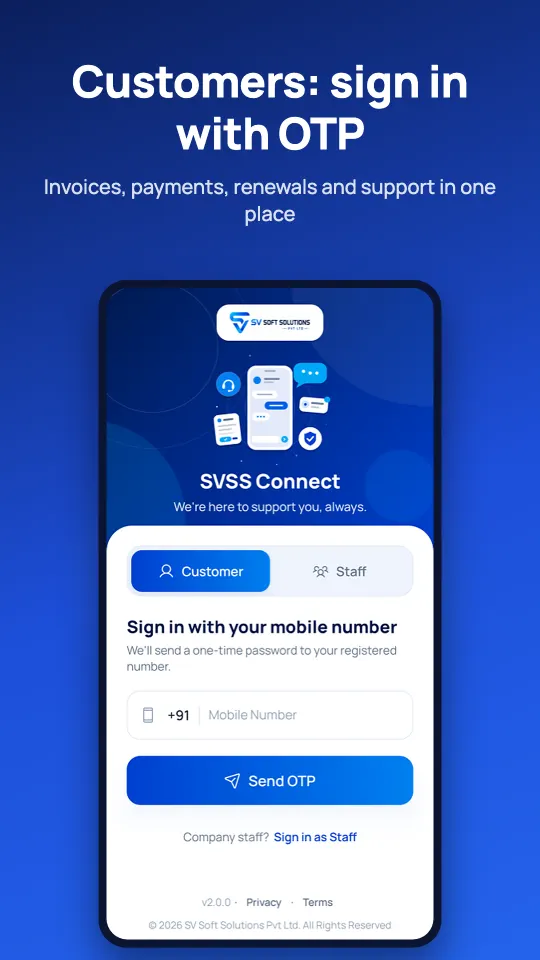
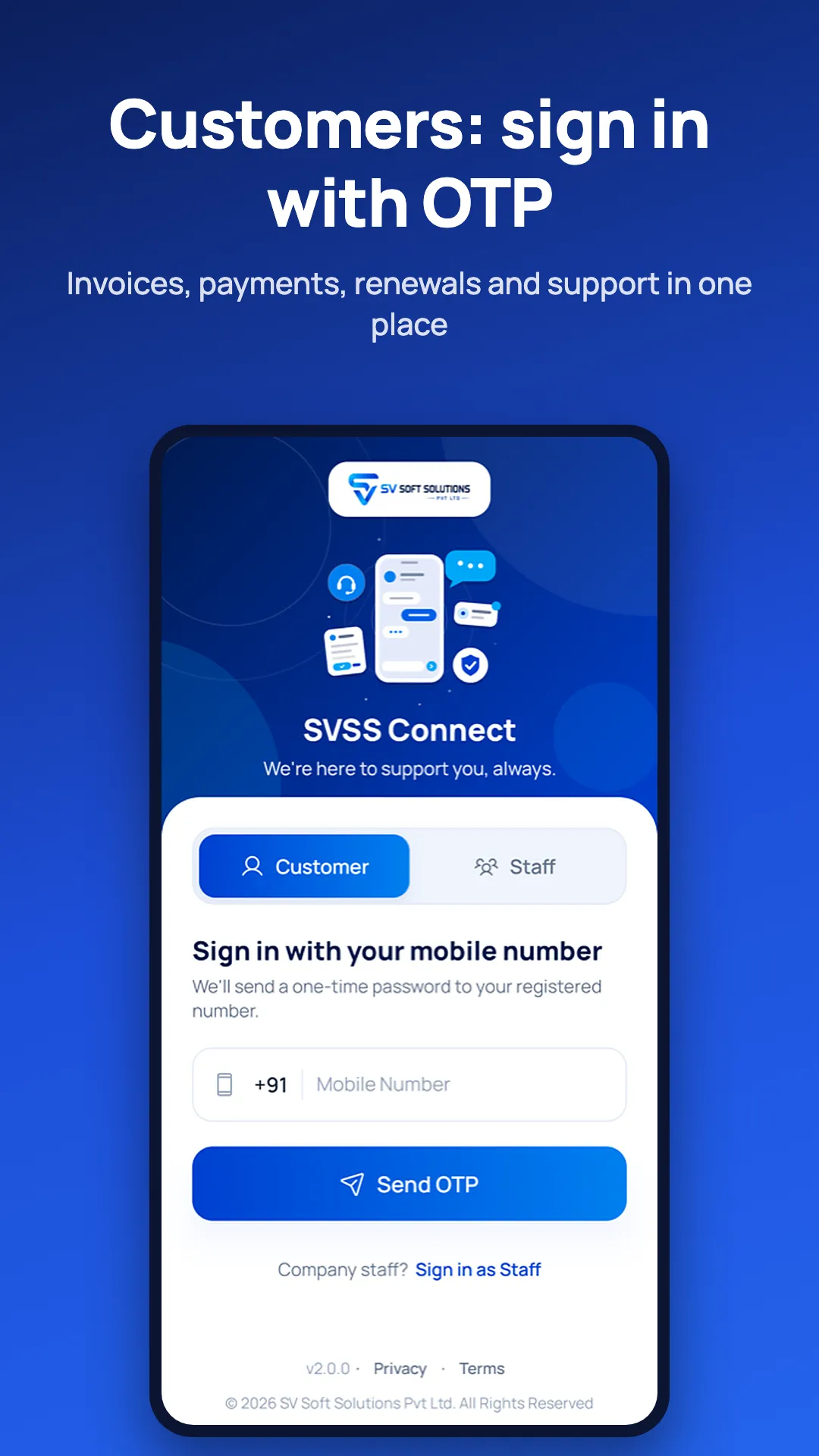
Customers of SV Soft Solutions. Sign in with your registered mobile number and a one-time password; no password to remember.
Pay invoices, download receipts, accept quotations, follow your projects and renewals, and get support from your account manager.
What staff can do
Everything a sales or service person needs during the day, in one app that keeps working when the network drops.
Mobile CRM
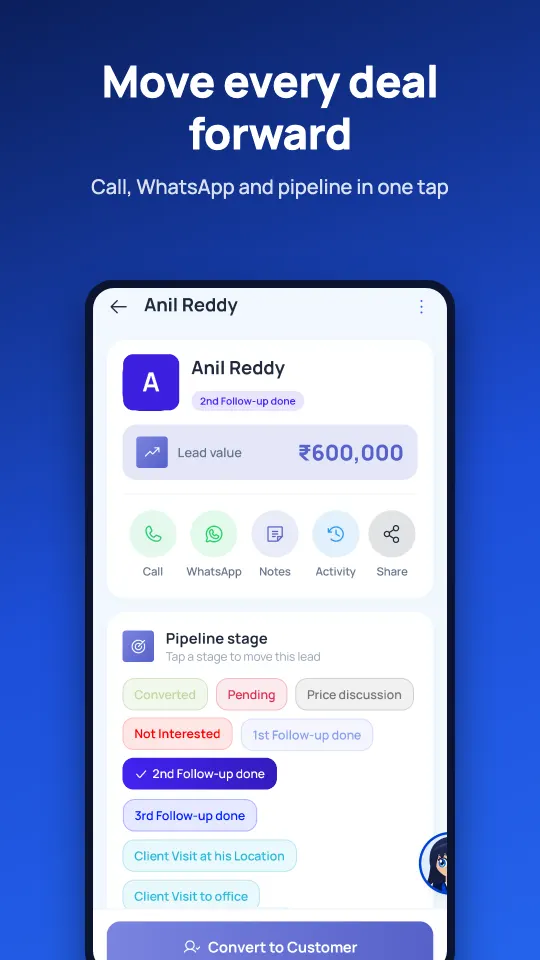
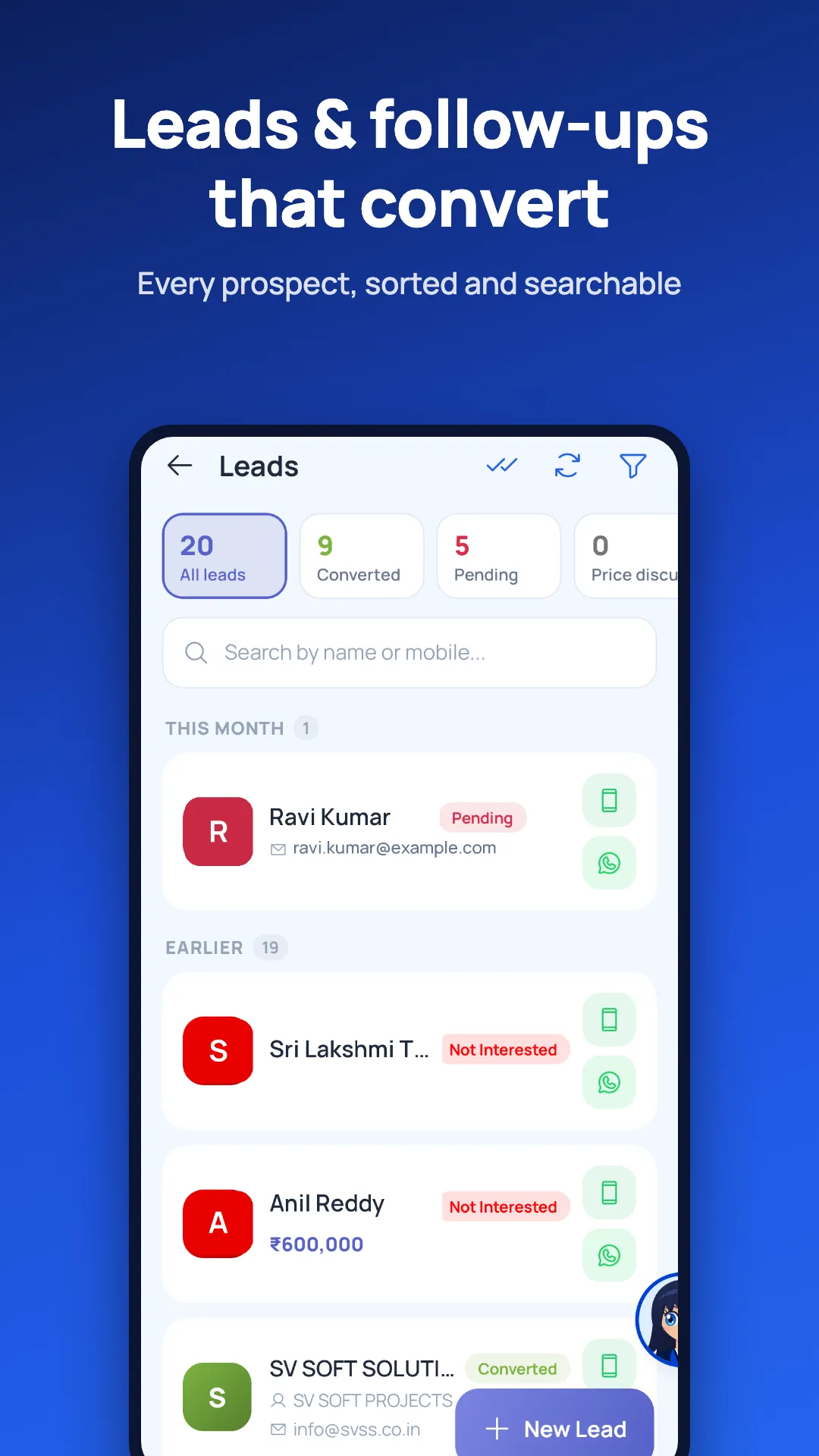
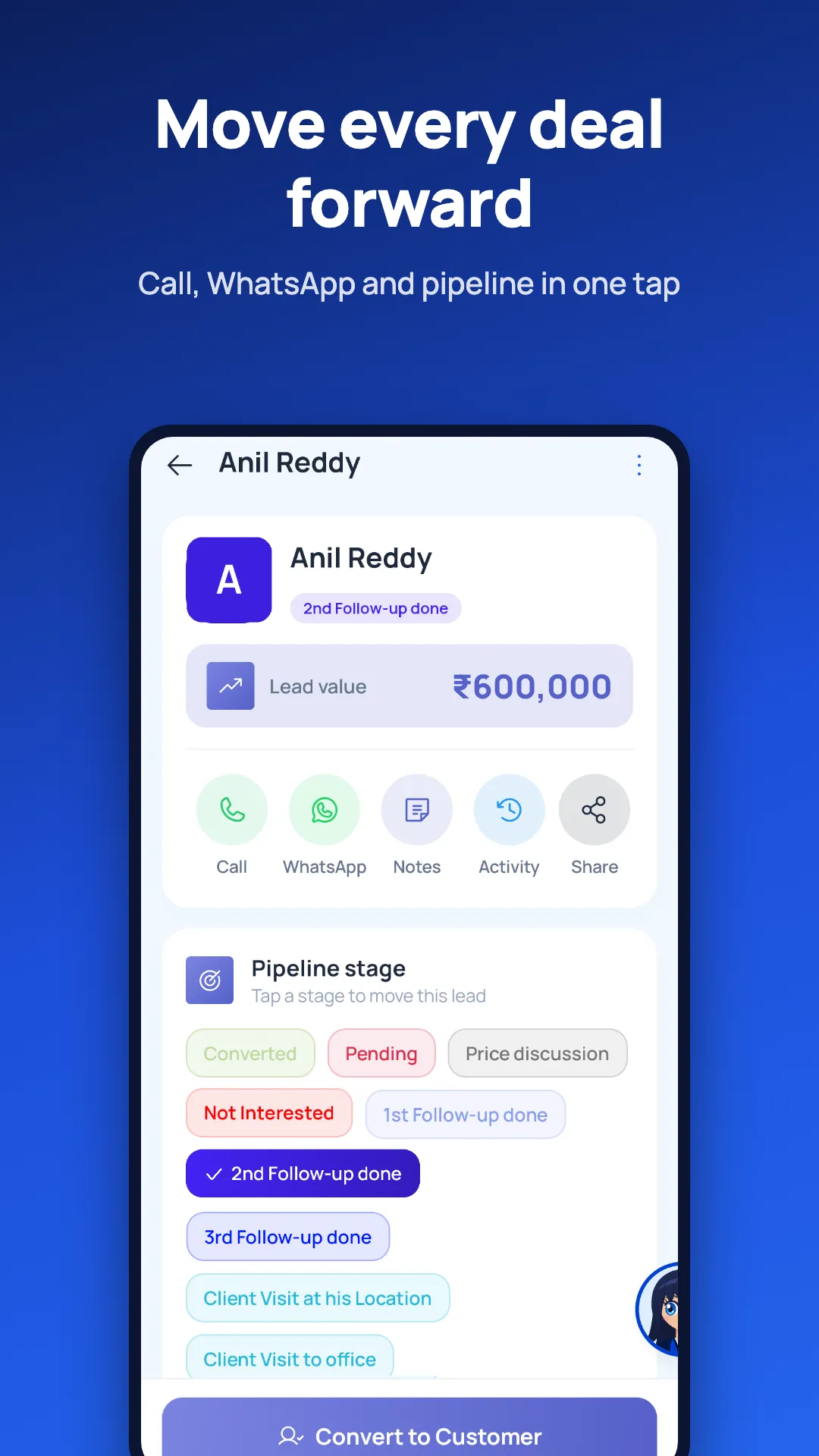
Leads and customers, business-card scan to create a lead, follow-up suggestions, call and WhatsApp logging, and a tap-to-move sales pipeline.
Day Planner
Plan the day's visits, get the best route on Google Maps, check in at each visit and set a visit alarm.
Quotes, invoices & collections
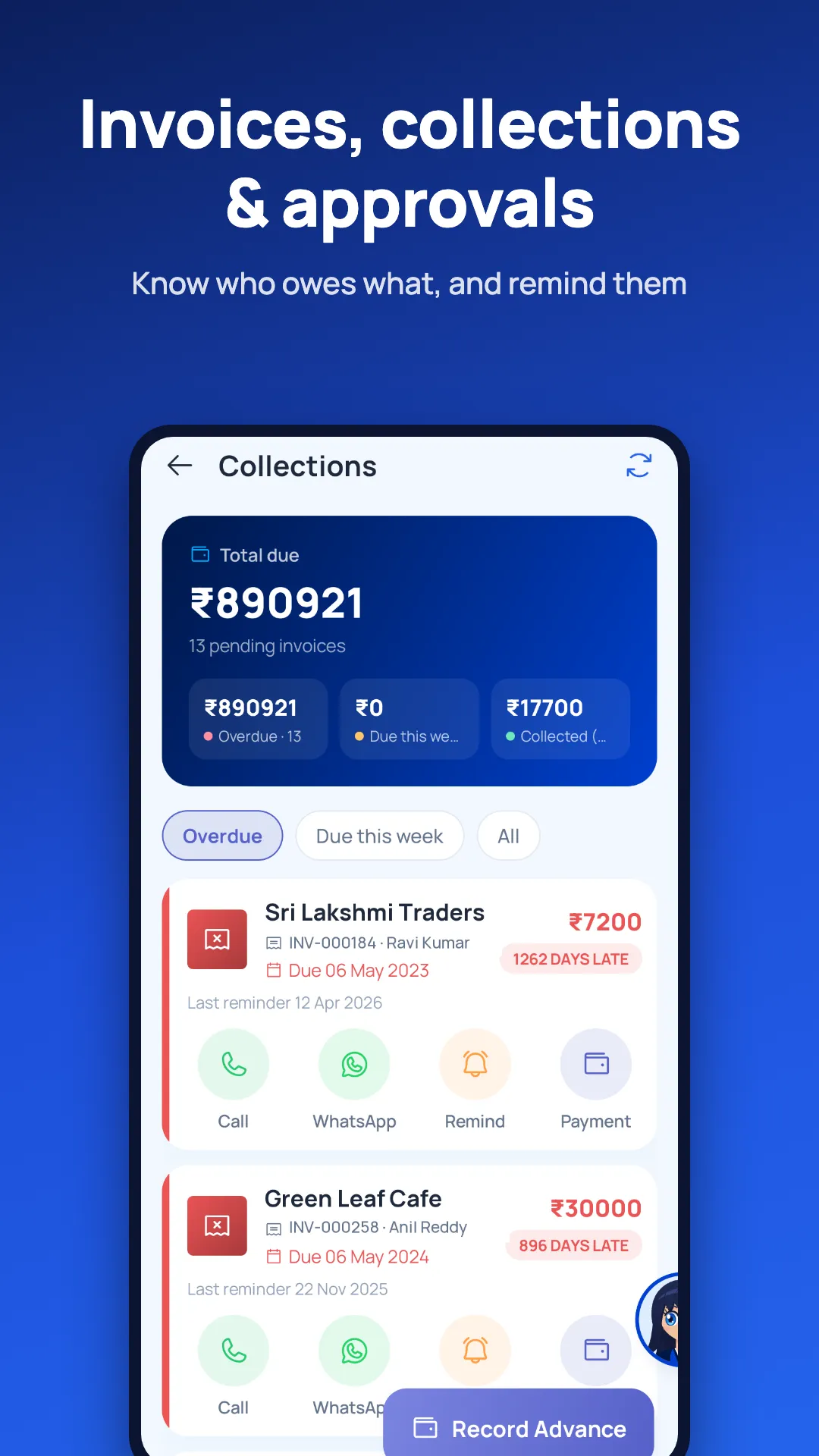
Create quotations and estimates, send invoices and follow up on collections with call, WhatsApp and reminder buttons.
Tasks, projects & team chat
See your tasks and projects, update progress and chat with your team.
Face attendance
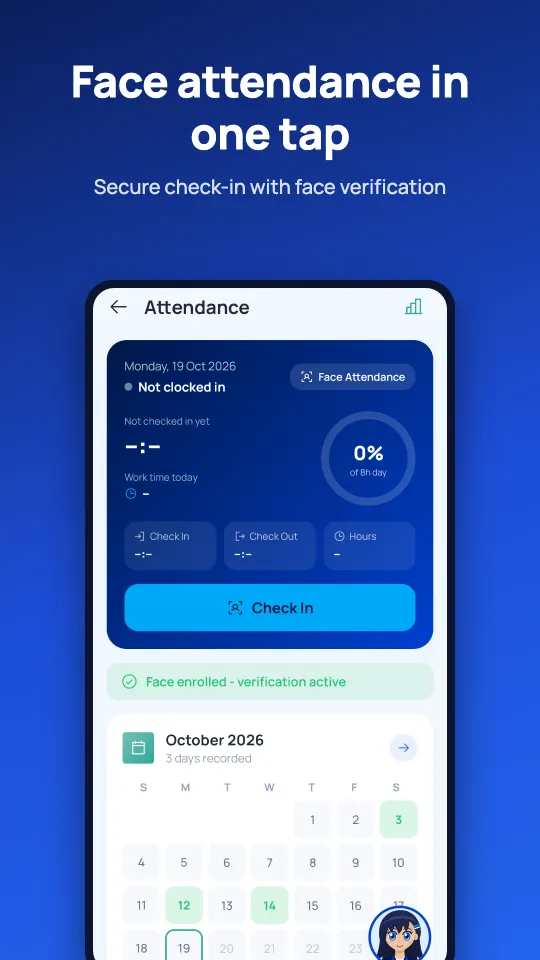
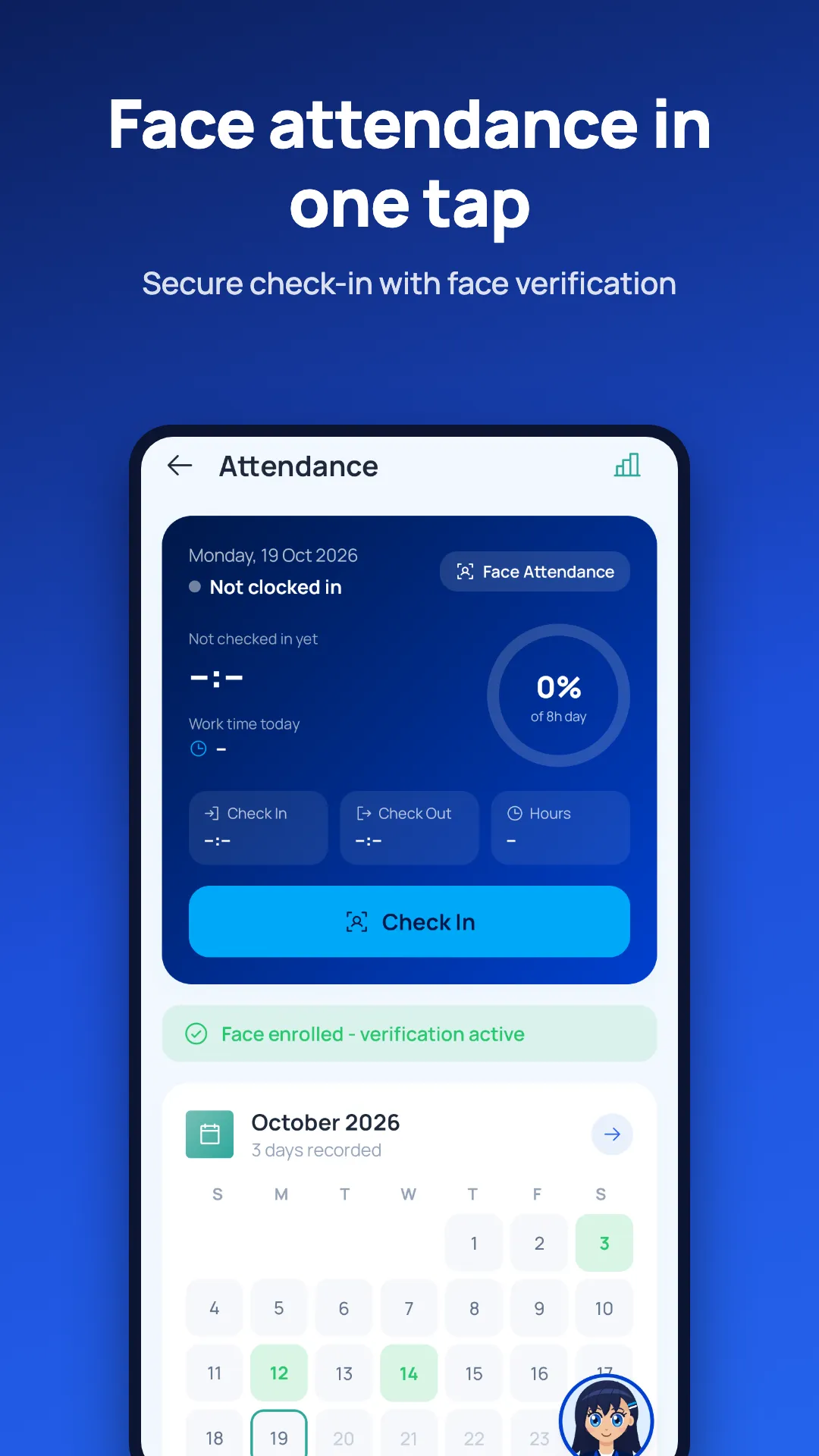
Check in and out with your face, with a liveness check and GPS location on every entry.
Leave & payslips
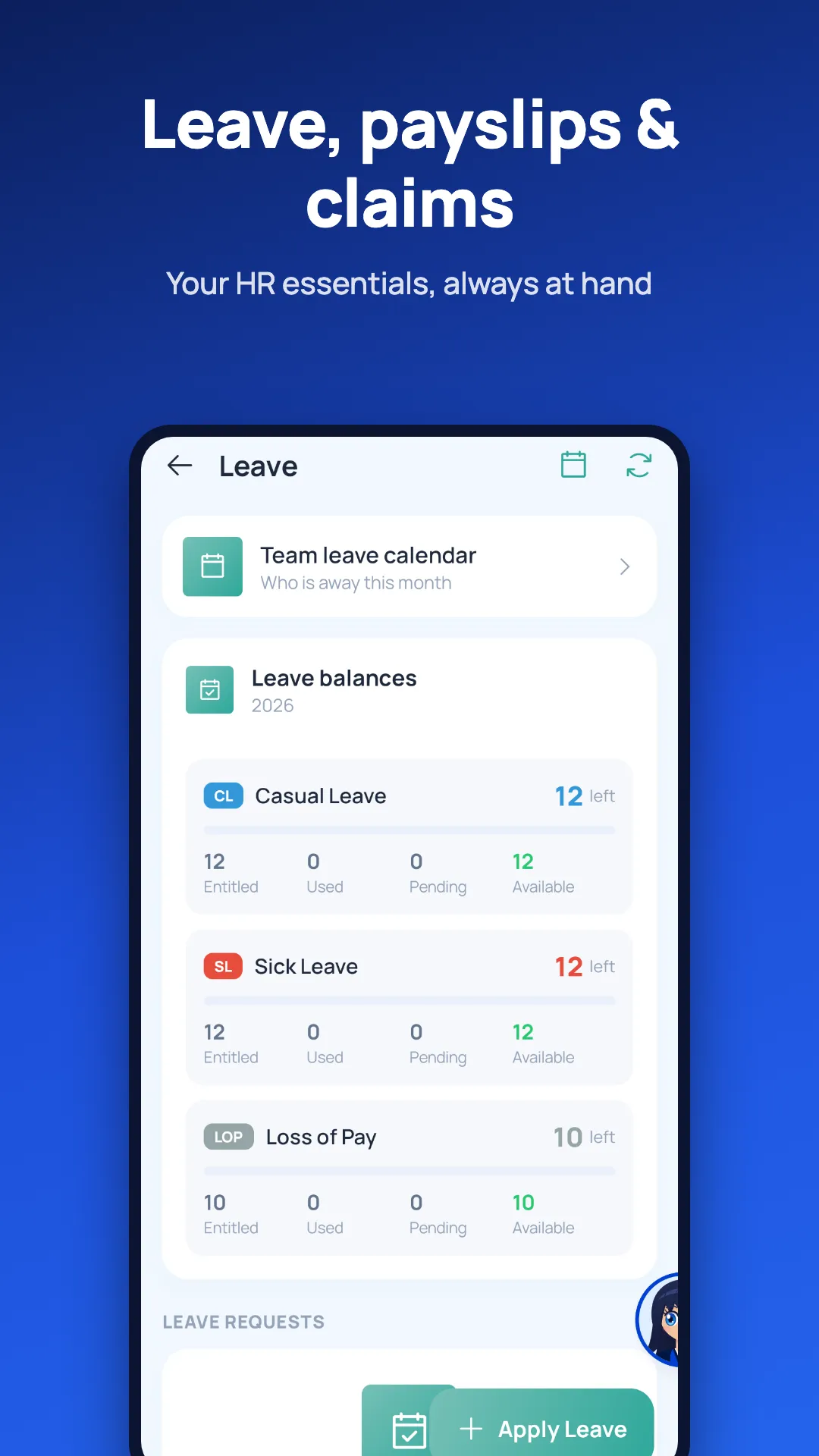
Apply for leave, check balances and the team leave calendar, and download payslips as PDF.
Travel & expense claims
Claim travel and expenses with receipt photos and kilometres travelled.
Approvals
Managers approve leave, claims and other requests from the phone.
Offline, widgets, app lock
Works offline with auto-sync, home-screen widgets, biometric app lock and dark mode.
Customer portal in your pocket
Customers of SV Soft Solutions sign in with their registered mobile number and an OTP, then can:
- View and pay invoices online
- Download receipts and see payment history
- Accept quotations
- Track projects and renewals (domains, hosting, AMC, support) with reminders before they are due
- Raise support tickets and attach photos
- Chat with your account manager
- Rate the service you received
How face attendance works
- The employee enrols their face once in the app.
- At check-in or check-out, the app looks at the live camera and runs a liveness check, so a printed photo or a picture on another screen does not pass.
- The face is matched with the enrolled face and the GPS location is saved with the attendance entry.
- HR sees the attendance, hours and location in the CRM; employees see their own monthly calendar.
Field visits, planned and logged
The Day Planner turns a list of customer visits into a route.
- Add the day's visits from leads and customers
- Open the best route in Google Maps
- Check in at the visit location; the visit is logged with time and place
- Set a visit alarm so the next appointment is not missed
- Log calls and WhatsApp messages and move the lead to its next stage
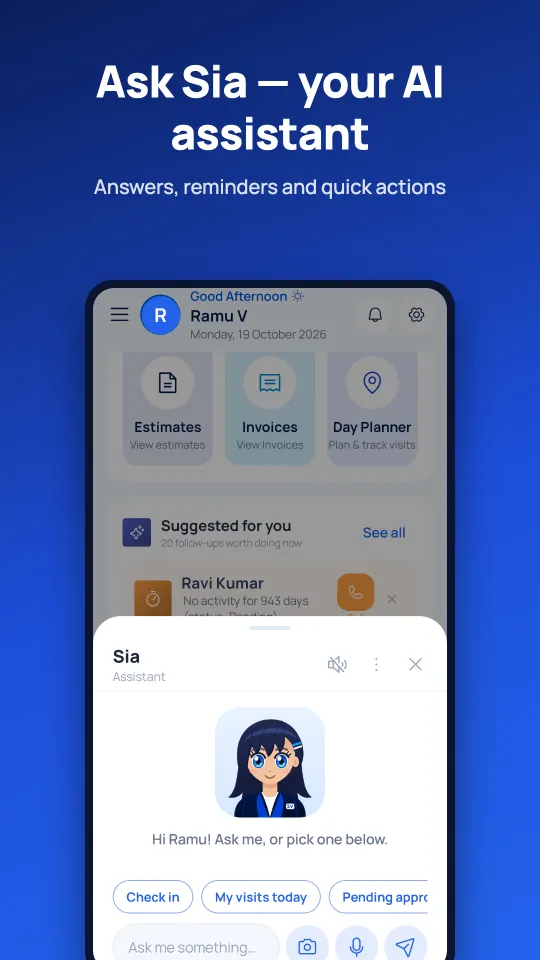
Sia, the AI assistant
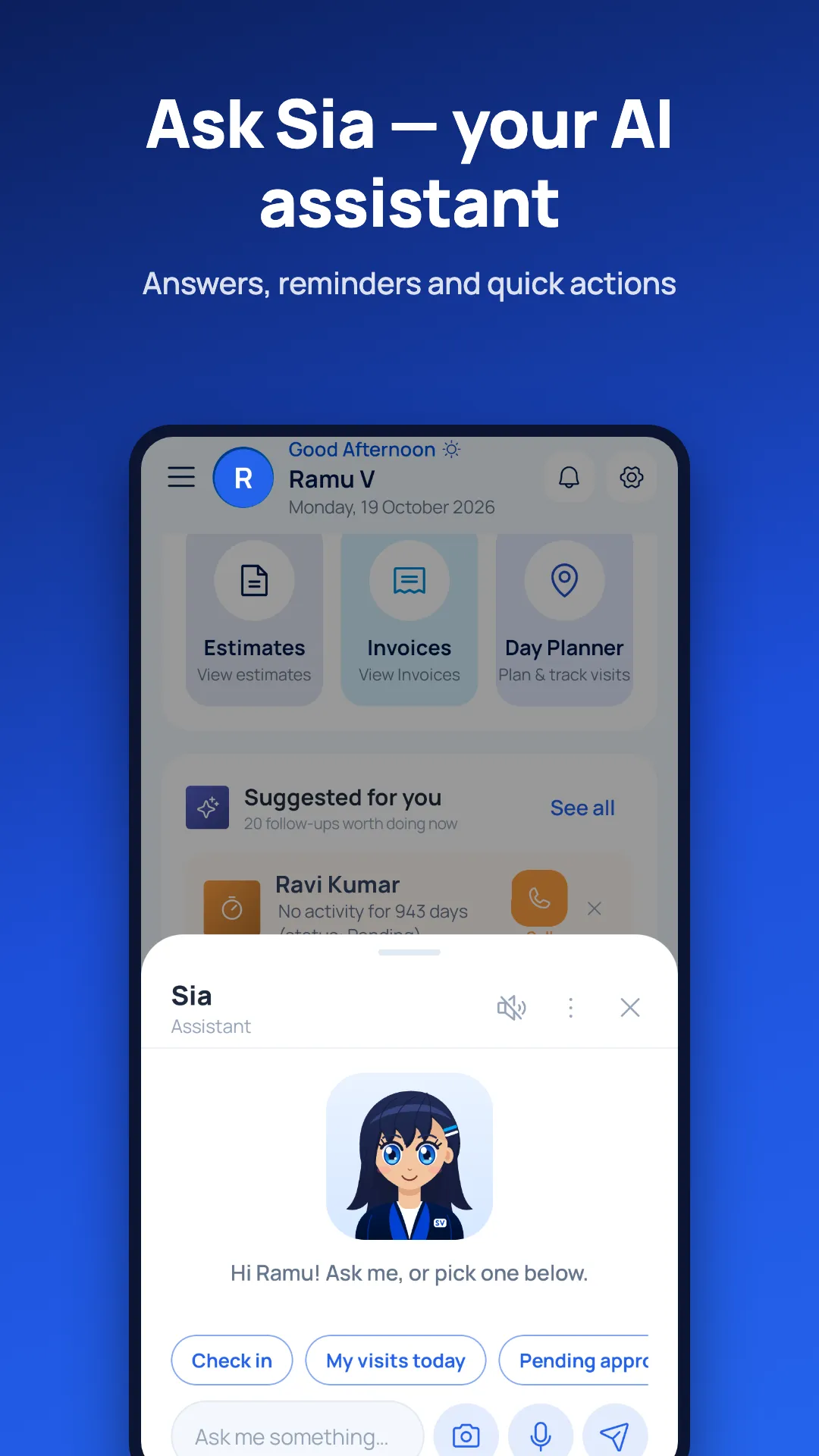
Sia is available to both staff and customers.
- Ask by voice or text in English, Telugu or Hindi
- Share a photo of an invoice, business card or receipt to find the matching record or prefill a form
- Get quick answers such as today's visits, pending approvals or what is due
- Sia never changes anything without your confirmation
Security and privacy
Separate sign-in
Staff use the login issued by HR; customers use a one-time password sent to their registered mobile number.
Biometric app lock
Lock the app with fingerprint or face unlock so nobody else can open it on your phone.
Your data only
Customers see only their own invoices, projects and tickets. Staff see what their role allows in the CRM.
Read how we handle data in our privacy policy.
Screenshots
Screens from SVSS Connect 2.0.0. Names and figures are demo data.
Frequently asked questions
What is SVSS Connect?
SVSS Connect is a free Android and iOS app from SV Soft Solutions Pvt Ltd. It gives staff a mobile CRM, face attendance, day planning and HR self-service, and gives customers a portal to pay invoices, track projects and renewals, and raise support tickets.
Is the SVSS Connect app free?
Yes. The app is free to download on Google Play and the App Store. Staff use it with the login issued by their company, and customers use it with their registered mobile number.
How do staff sign in?
Staff sign in with the username and password given to them by HR. They can then turn on fingerprint or face unlock as a biometric app lock.
How do customers sign in?
Customers sign in with the mobile number registered with SV Soft Solutions and a one-time password (OTP) sent to that number. No password is needed.
How does face attendance work?
When checking in or out, the app compares a live camera image with the face the employee enrolled, runs a liveness check so a photo cannot be used, and records the GPS location with the attendance entry.
Does the app work without internet?
Yes. Staff can keep working offline; the app saves the changes on the phone and syncs them automatically when the connection returns.
What can customers do in the app?
Customers can view and pay invoices online, download receipts and see payment history, accept quotations, track projects and renewals such as domains, hosting, AMC and support with reminders, raise support tickets with photos, chat with their account manager and rate the service.
What is Sia?
Sia is the AI assistant inside SVSS Connect for staff and customers. You can ask by voice or text in English, Telugu or Hindi, or share a photo of an invoice, business card or receipt to find records or prefill a form. Sia never changes anything without your confirmation.
Which languages does Sia understand?
Sia understands English, Telugu and Hindi, by voice or by text.
Who makes SVSS Connect?
SVSS Connect is built by SV Soft Solutions Pvt Ltd, a software company headquartered in Vijayawada, Andhra Pradesh, with an office in Chennai, Tamil Nadu.
Built by SV Soft Solutions
SVSS Connect is designed, built and supported by SV Soft Solutions Pvt Ltd, a software development company headquartered in Vijayawada, Andhra Pradesh, with an office in Chennai, Tamil Nadu. The same team builds the SVSS CRM the app connects to.
Questions about the app? Call +91 81211 15678, email info@svss.co.in, or read more about us and how to reach our offices.
Get SVSS Connect
Free on Android and iOS. Staff: sign in with your HR login. Customers: sign in with your mobile number.